
Cloud and teams
Share profiles with a team.
On this page
The Team plan shares synced profiles, proxies, VPNs, groups, extensions, templates and statuses between the people in a team. It costs $199 a month with 2 seats, and $99 a month for each extra seat. Every member signs in to the desktop app with their own account.
Members and roles
The owner or an admin invites people from the team page of the account dashboard on the website. Each member has one role:
| Role | Can do |
|---|---|
| Owner | Everything, including billing, roles, group access for any member and the sync encryption password |
| Admin | Invite and remove members (never the owner), set group access for members, and read the activity log |
| Member | Use and change the team’s profiles and shared items |
| Launcher | Open the team’s profiles and keep what a session changes (cookies, history, Local Storage). A launcher cannot change a profile’s settings or the team’s proxies, groups, VPNs, extensions, templates or statuses |
The sync server refuses changes a role does not allow, and the app hides them.
Profile locks
One account must not run in two places at once. When a member launches a team profile, the profile locks to that person. Other members see In use by and the person’s email, and the profile does not start for them. The lock ends when the browser closes. If the app stops without closing it, for example on a crash, the lock expires about 5 minutes after the last heartbeat.
Access by group
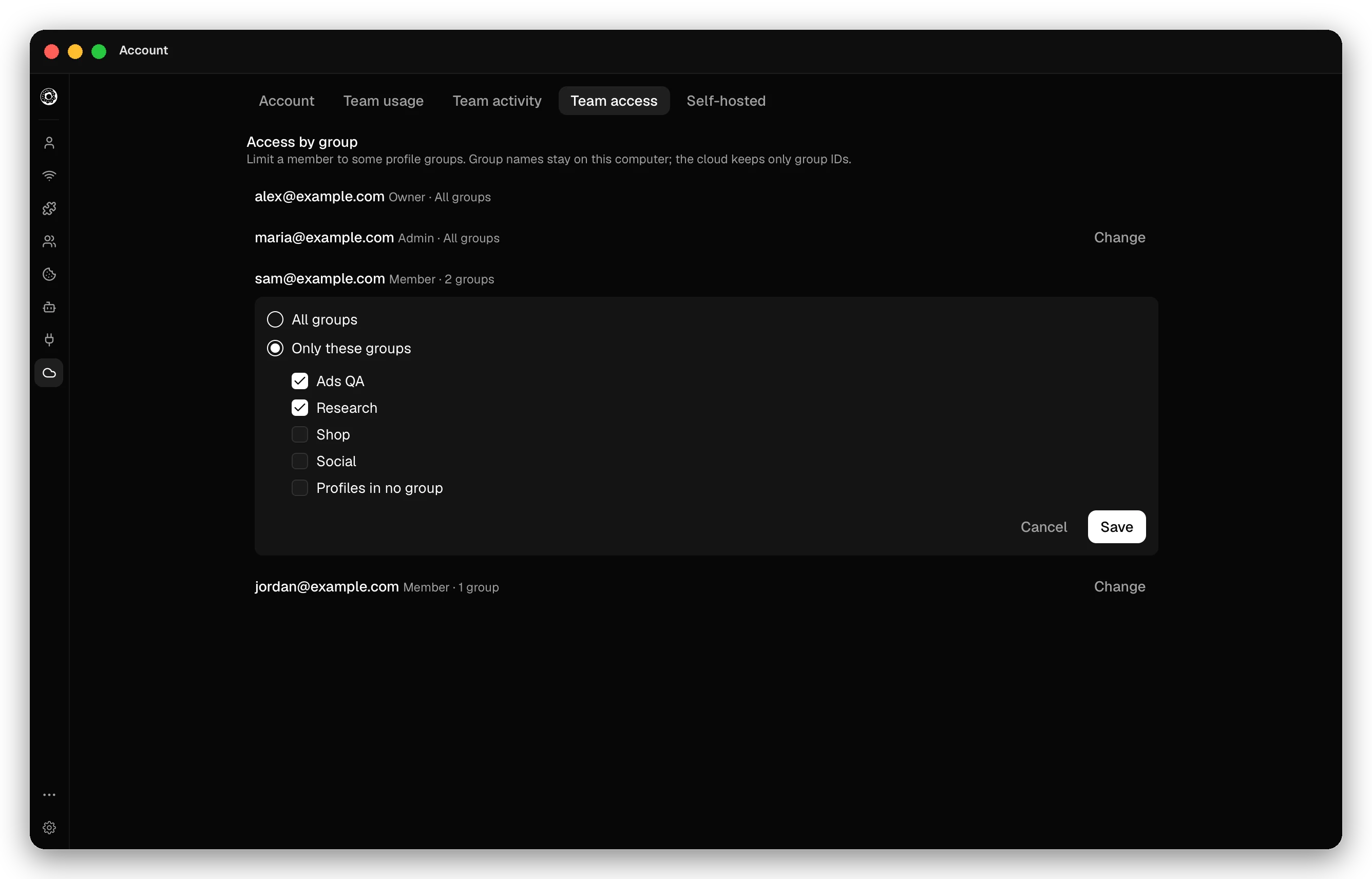
On the Account page, the Team access tab limits a member to some profile groups: click Change next to the member and pick All groups or Only these groups. The member then sees only the profiles in those groups. Profiles in no group is a choice of its own. Group names stay on your computer; the cloud keeps only group IDs. The owner always has all groups.
Activity log
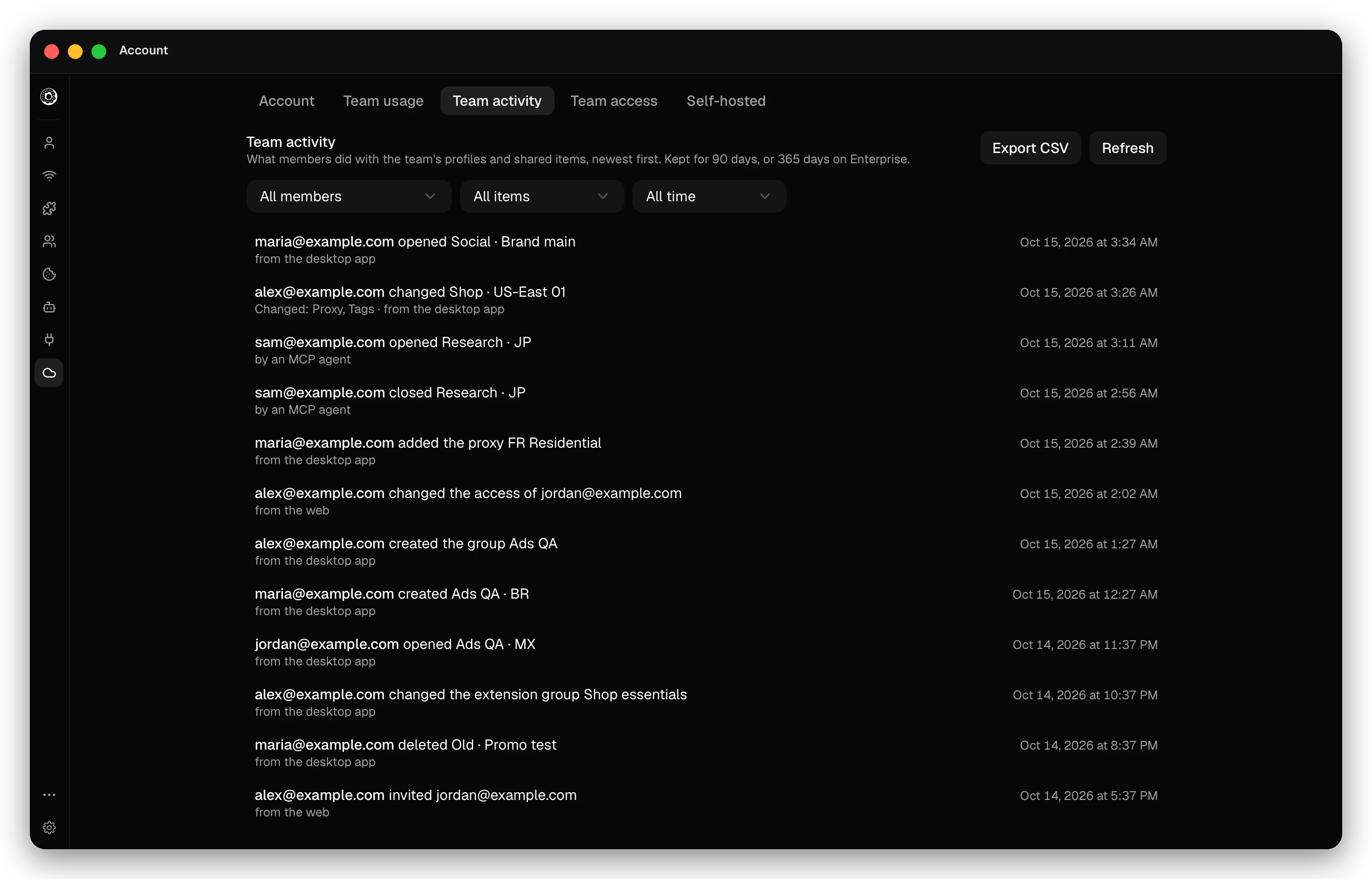
The Team activity tab lists what members did with the team’s profiles and shared items, newest first: launches, edits, invitations, role and access changes. Each entry says who did it and from where: the desktop app, the web, an MCP agent, an API key or a cloud browser. Filter by Member, Item type and Period (last 24 hours, 7 days, 30 days or all time), and click Export CSV to save the filtered list. Owners and admins can read it. The log keeps 90 days, or 365 days on Enterprise.
The Team usage tab shows the remote hours each member spent in a month, split into Cookie Bot and interactive hours.
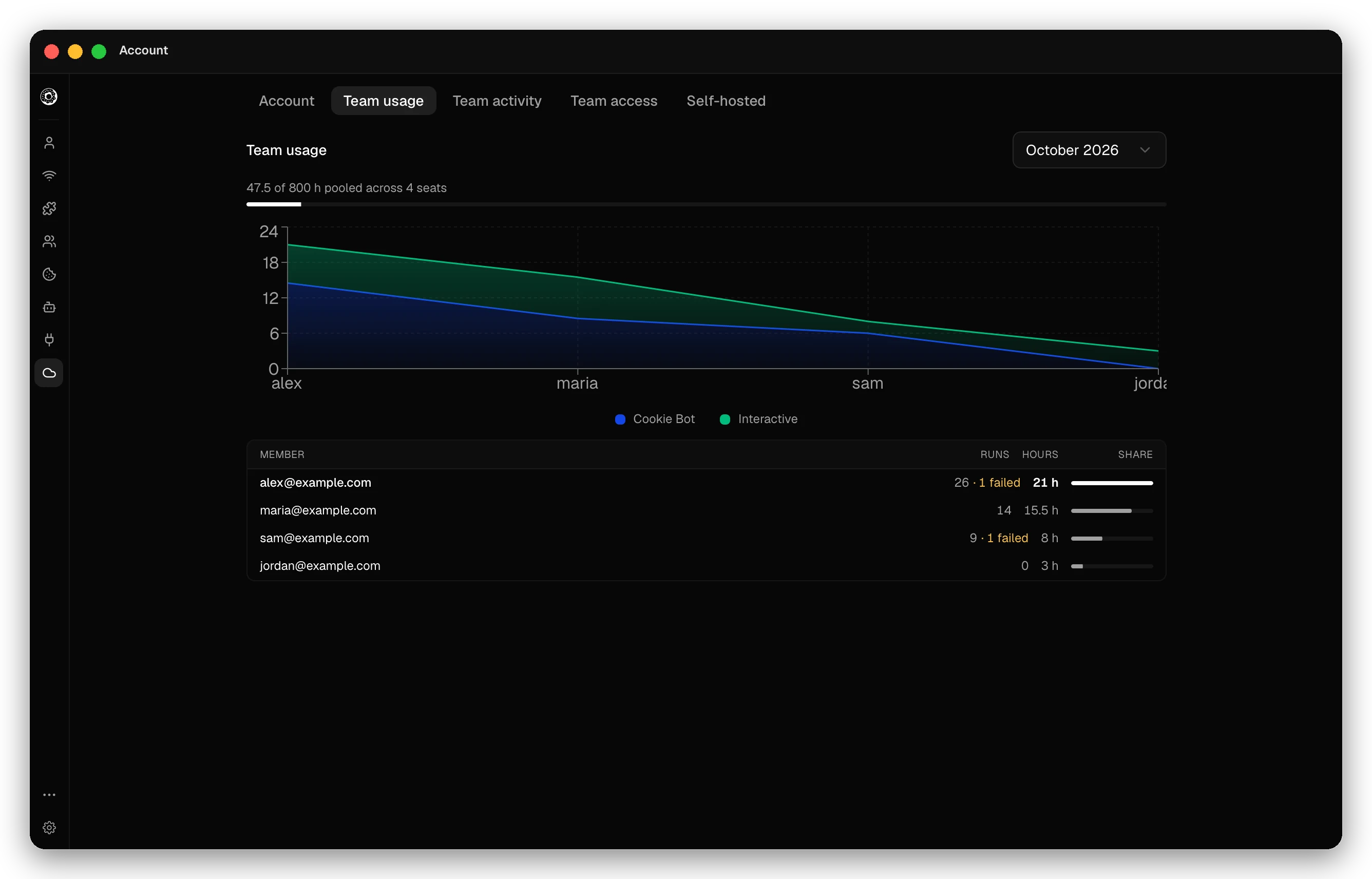 The team shares one pool: 200 hours a month for each paid seat.
Shared remote hours and encryption
- Cookie Bot runs and remote sessions of all members spend the team’s pool.
- On a team, only the owner sets the end-to-end encryption password. See Sync and backup.
- A team that uses its own sync server must use one server for all members. See Self-hosted sync server.
Checked against the app on .
