
Bearer token.
Every request to the local API must carry an Authorization header. The token is generated by the desktop app on first launch and stored locally; you control it.
Header shape
Authorization: Bearer <token from Settings → Integrations → Local API>Where to find your token
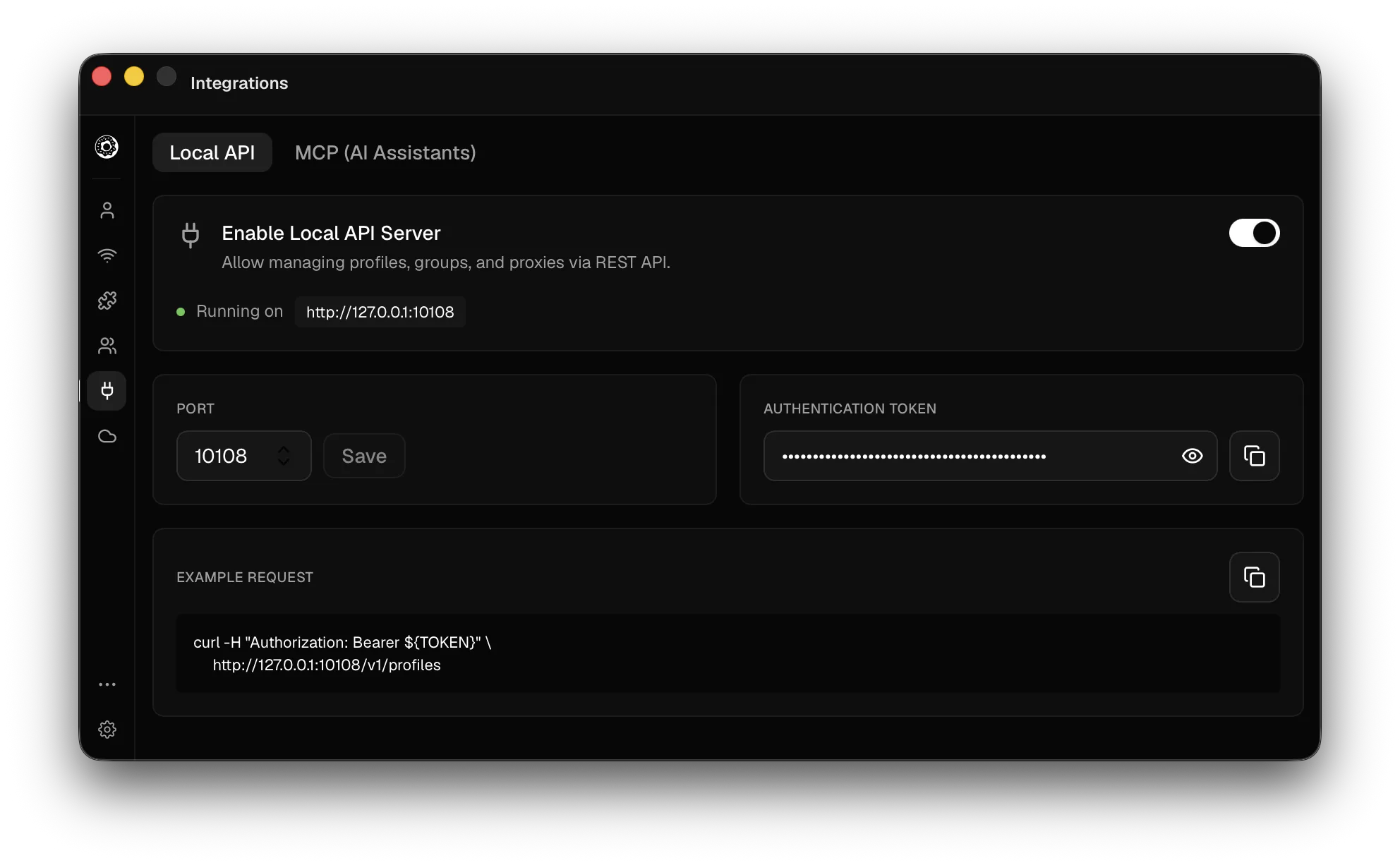
Open the desktop app → Settings → Integrations → Local API. The same panel lets you toggle the server on, change the port, copy the token to your clipboard, or rotate it. Rotating immediately invalidates every previous token and disconnects any script that was using it.
Export it
# ~/.zshrc or ~/.bashrc
export DONUT_API_KEY="<paste from Settings → Integrations → Local API>"
# ~/.config/fish/config.fish
set -gx DONUT_API_KEY "<paste from Settings → Integrations → Local API>"# Add to $PROFILE for persistence
$env:DONUT_API_KEY = "<paste from Settings → Integrations → Local API>"Use it
curl -sS http://127.0.0.1:10108/v1/profiles \
  -H "Authorization: Bearer $DONUT_API_KEY" | jq
const response = await fetch("http://127.0.0.1:10108/v1/profiles", {
headers: { Authorization: `Bearer ${process.env.DONUT_API_KEY}` },
});
const { profiles } = await response.json();import os, requests
response = requests.get(
"http://127.0.0.1:10108/v1/profiles",
headers={"Authorization": f"Bearer {os.environ['DONUT_API_KEY']}"},
timeout=10,
)
profiles = response.json()["profiles"]$response = Invoke-RestMethod -Uri "http://127.0.0.1:10108/v1/profiles" `
-Headers @{ Authorization = "Bearer $env:DONUT_API_KEY" }
$response.profilesWhat it grants
The token is uniform: every endpoint accepts the same bearer. Treat it like a password: anyone with the token can launch a profile, open URLs, and (on Pro) drive the browser. The server only listens on 127.0.0.1 so an attacker would need local access already, but if you’re running on a shared machine, keep the token out of shell history and shared scripts.
Other credentials
This token opens the local REST API and nothing else. Remote MCP takes a dmk_ credential instead, created on your account page or by the app; see Remote MCP.
Missing or invalid token
A missing or invalid token gets a 401 with an empty body, so check the status code rather than parsing the response:
HTTP/1.1 401 Unauthorized
content-length: 0