
Cloud and teams
Cookie Bot: warm profiles while you sleep.
On this page
A new profile with no cookies and no history looks new to sites. Cookie Bot opens your profile on a Donut machine, at the times you set, and browses a list of sites through the profile’s own proxy. When the run ends, the cookies and history sync back to the profile. Your computer can be off.
Cookie Bot is part of Solo, Pro, Team and Enterprise. Each run spends remote hours.
What a profile needs
Cookie Bot refuses a profile until all of these are true:
- Sync is on, in Regular Sync mode. The remote machine cannot open an end-to-end encrypted profile.
- The profile has a proxy or VPN that the remote machine can reach. A proxy on
127.0.0.1or another address of your own network does not work there. Without a proxy the run would leave from a datacenter address, which damages the profile more than no run. - The fingerprint is for Windows, macOS or Linux, and not a touch-screen device.
- The cloud copy of the profile is complete. Let the desktop finish syncing first.
Enrol a profile
- Select profiles in the table and click Enrol in Cookie Bot in the action bar, or open the Cookie Bot page (Cmd/Ctrl+B) and click Enrol profiles.
- Under When it runs, pick the Days of the week and a Start time. Add a time adds more, up to 14. Times follow each profile’s fingerprint timezone, so a Tokyo profile browses in Tokyo daytime.
- Set Max minutes for each run, from 5 to 120.
- Set the Depth: Light, Standard or Deep.
- Choose the Sites: Curated (a list Donut keeps), Saved (a list you saved) or My own list (one address per line, up to 40). The bot visits only these sites. From a curated list, each profile draws its own sample, so no two profiles browse the same set.
- Click Enrol tonight.
The sites are copied onto the schedule when you save it. Editing a saved list later does not change existing schedules.
Watch the runs
| Tab | What it shows |
|---|---|
| Overview | The next run, runs of the last 24 hours, machine time per night, the enrolled profiles and the remote hours left |
| Schedule | Each profile’s run window on a time axis, grouped by time zone, with overlaps marked. Edit a schedule or remove a profile here |
| Activity | Past runs with their duration, the sites visited and the result |
| Team | On a team, the hours each member used |
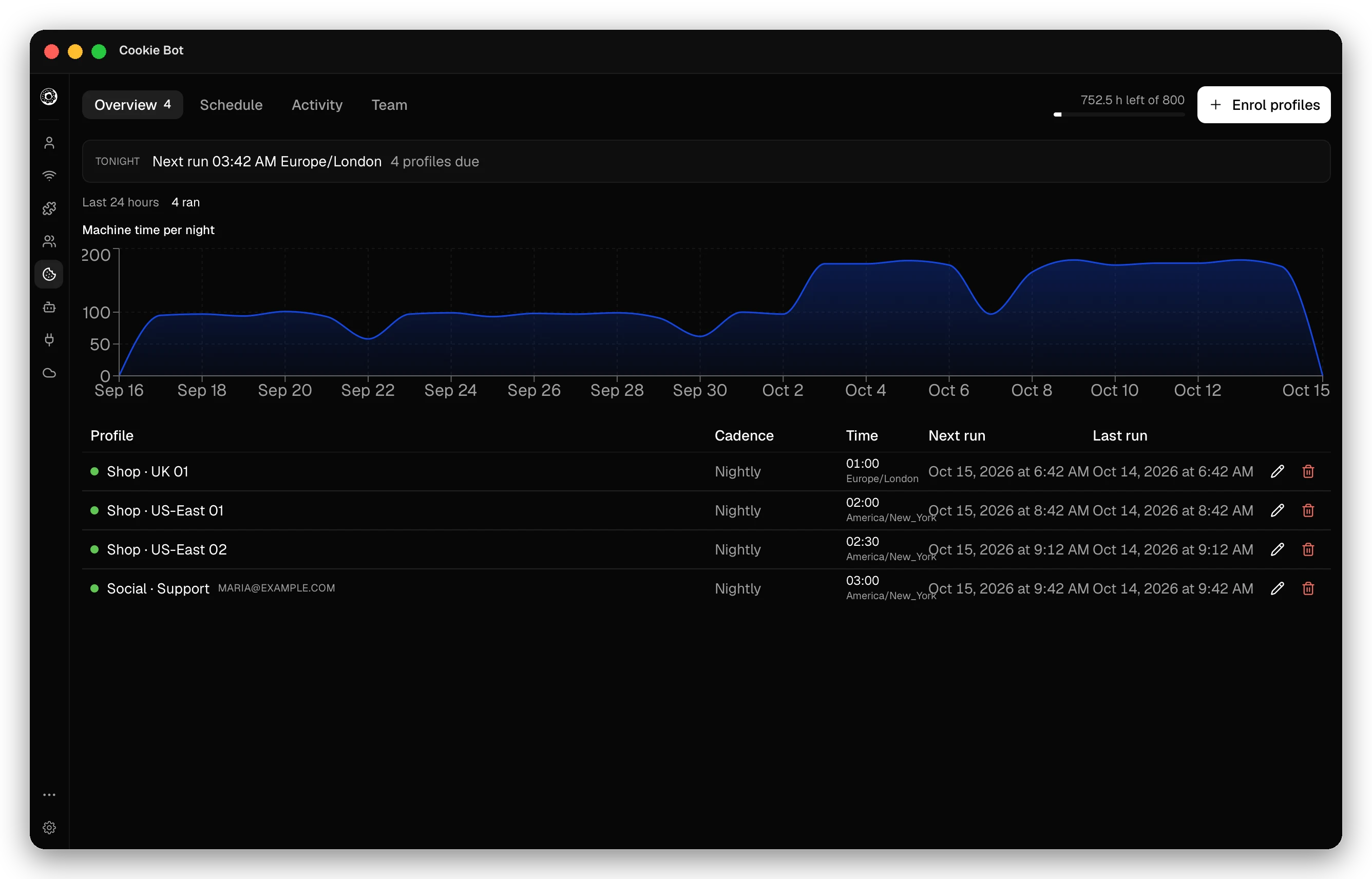
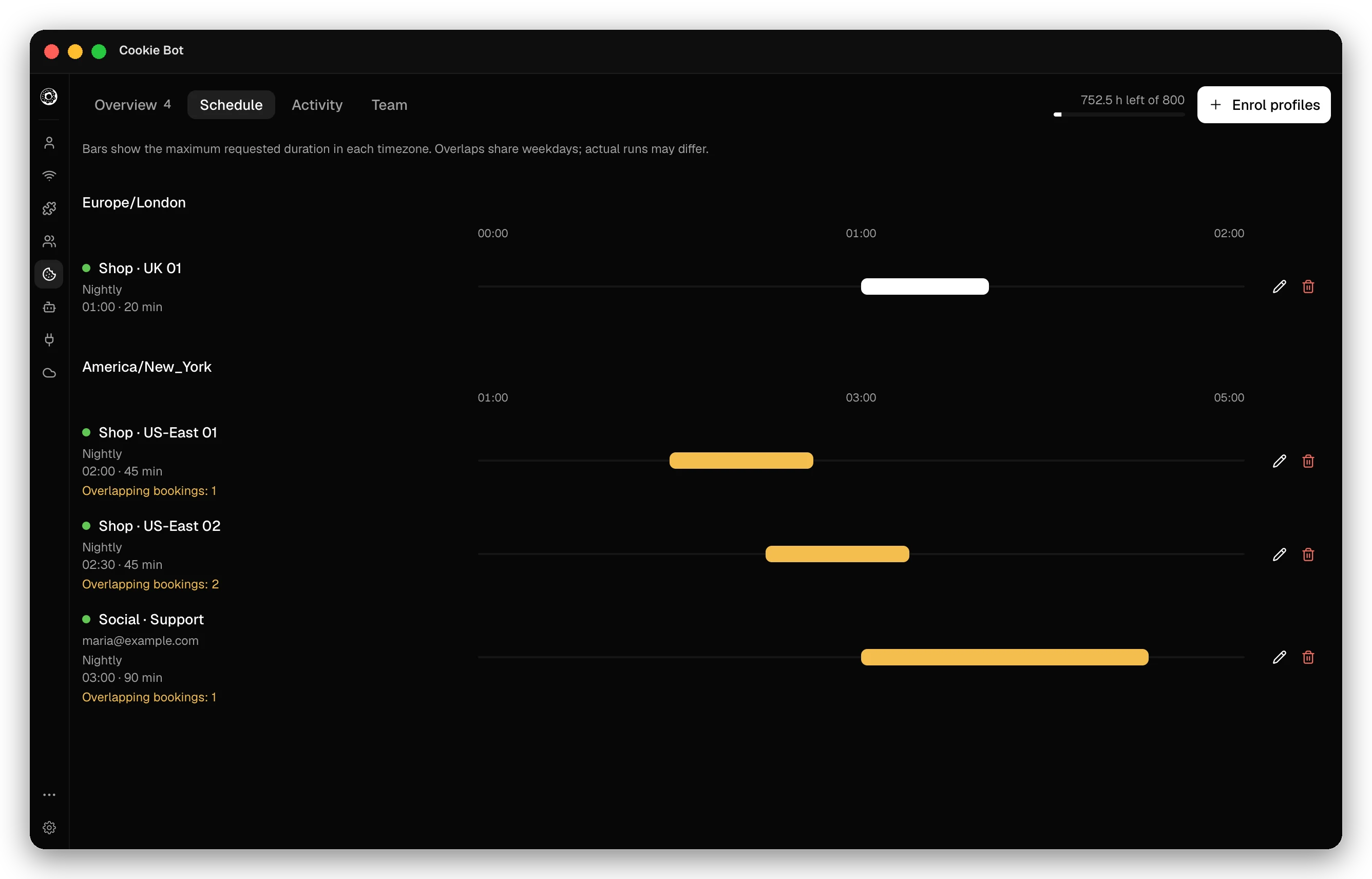
While a run is live, the profile shows that it runs on a remote machine. You cannot open it on your computer until the run ends and its changes download.
Remote hours
| Plan | Remote hours a month |
|---|---|
| Solo | 40, for Cookie Bot and scheduled recipes |
| Pro | 200 |
| Team | 200 for each paid seat, shared by the team |
The page estimates the hours a schedule needs each week. When the hours run out, schedules stay enrolled and resume in the next cycle. Two members who warm one profile spend hours twice; the app warns about such a conflict.
Checked against the app on .
