
Use the app
Extensions.
On this page
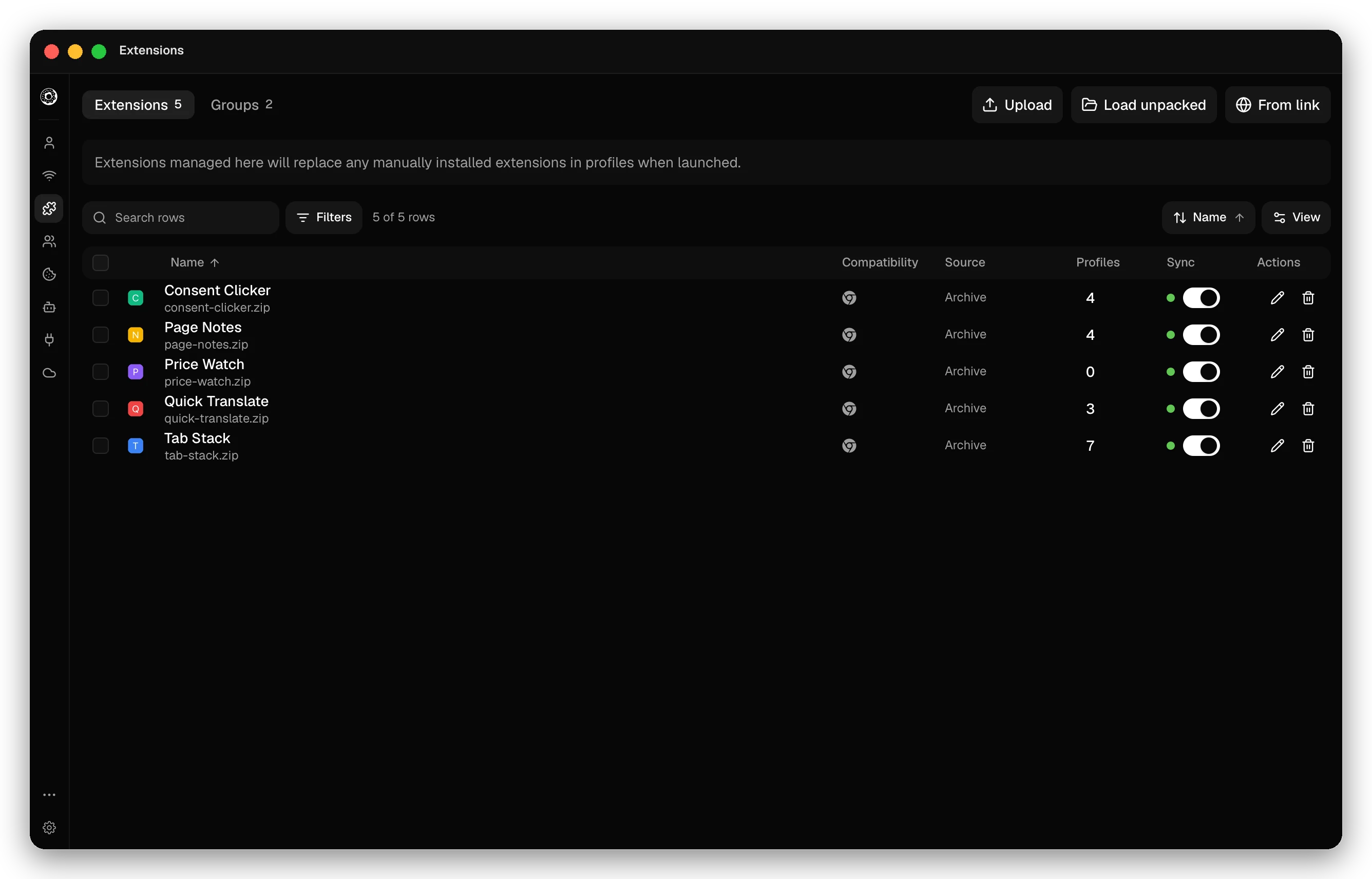
Donut manages extensions in one place and loads them into profiles at launch. Extension management is free on every plan. Open the Extensions page (Cmd/Ctrl+E).
Add an extension
| Button | What you give it |
|---|---|
| From link | A Chrome Web Store link, an extension ID, or a direct .crx or .zip link. Donut downloads it over HTTPS and shows its name and version before you add it |
| Upload | A .crx or .zip file |
| Load unpacked | A folder that holds manifest.json |
Donut copies an unpacked folder, so the extension is portable and can sync. Turn on Load in place from this folder to load it from the folder at every launch instead: your edits apply at the next browser start, but the extension stays on this computer and never syncs.
Edit extension shows the name, version, author and homepage from the manifest, and can replace the package.
Extension groups
Profiles get extensions through groups. On the Groups tab of the Extensions page, create a group and add extensions to it. Then:
- In a profile, choose the group under Extensions or with Assign Extension Group.
- Select profiles and click Assign Extension Group in the action bar.
- The EXT column of the profile table shows the group of each profile.
Extensions that Donut manages replace extensions you installed in the profile by hand, at each launch.
Extensions that change the route
An extension that holds Chromium’s proxy permission, such as a VPN extension, can send the browser’s traffic another way. Then the real location no longer matches the profile’s timezone, language and geolocation. With Settings → Privacy → VPN extension warning on, Donut lists such extensions before the launch.
Sync
With sync on, the Sync switch of an extension or group sends it to your other devices. Linked folders never sync. Ephemeral profiles cannot have an extension group.
Checked against the app on .
