
AI agents
Agent page, recipes and schedules.
On this page
Donut has no AI model. You connect your own agent over remote MCP, and the Agent page (Cmd/Ctrl+J) is where you work with it: you see what it does, answer its questions and step in when a page needs a person. The page keeps this data in memory only; nothing on it is saved to disk.
Before an agent connects
The page shows what is missing: sign in, a plan with remote control (Solo, Pro, Team or Enterprise), or Remote control turned on under Integrations → Remote MCP. When all is set, it waits for your agent and shows Instructions for your agent that you can copy into the agent’s prompt.
Tabs
| Tab | What it shows |
|---|---|
| Conversation | Questions, help requests, notes and progress reports from your agents. Write a note to an agent at the bottom: Enter sends, Shift+Enter starts a new line. |
| Profiles | The profiles your agents work in. Take over or Hand back one profile, or several at once. |
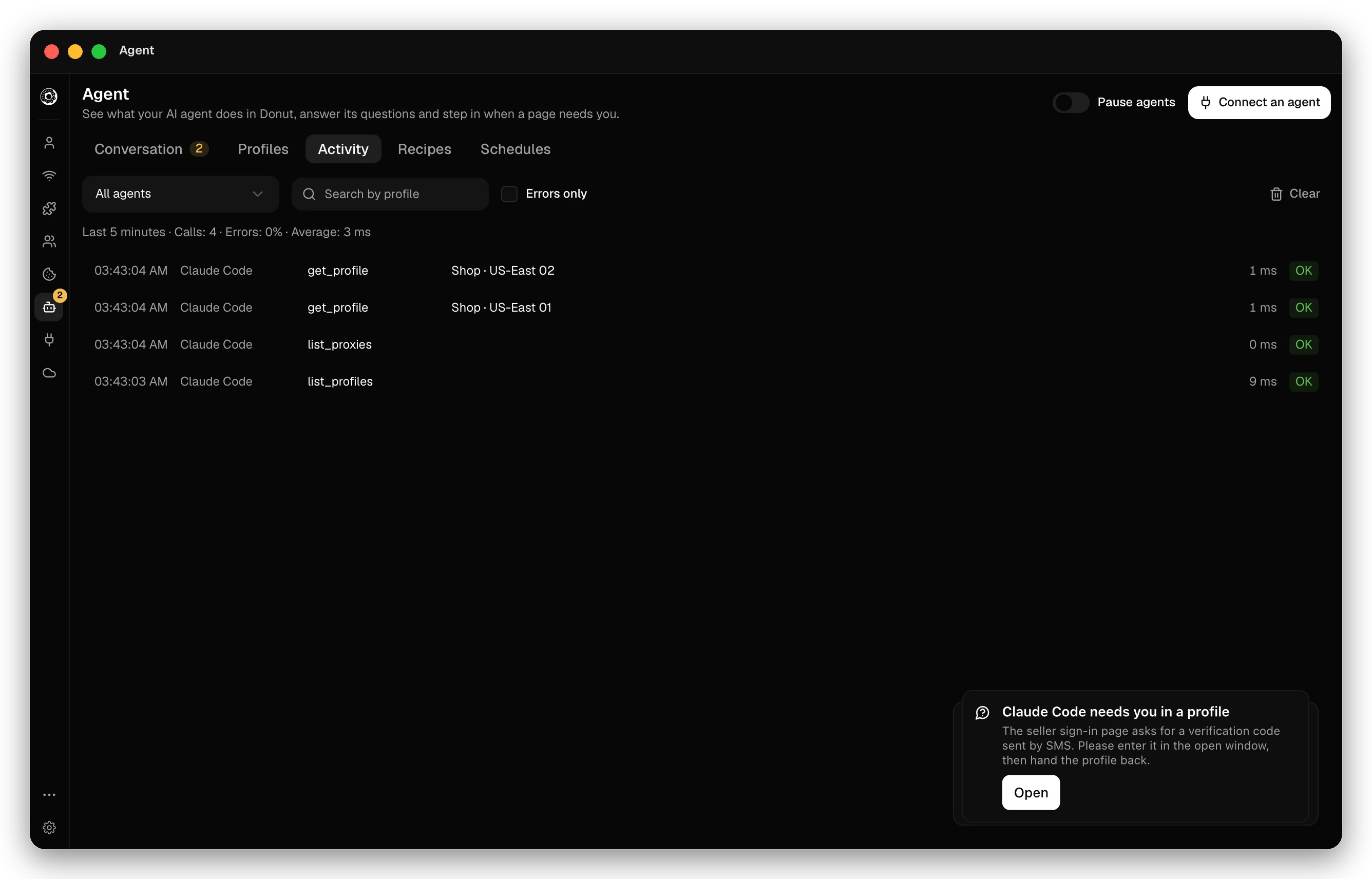
| Activity | Every tool call your agents made. |
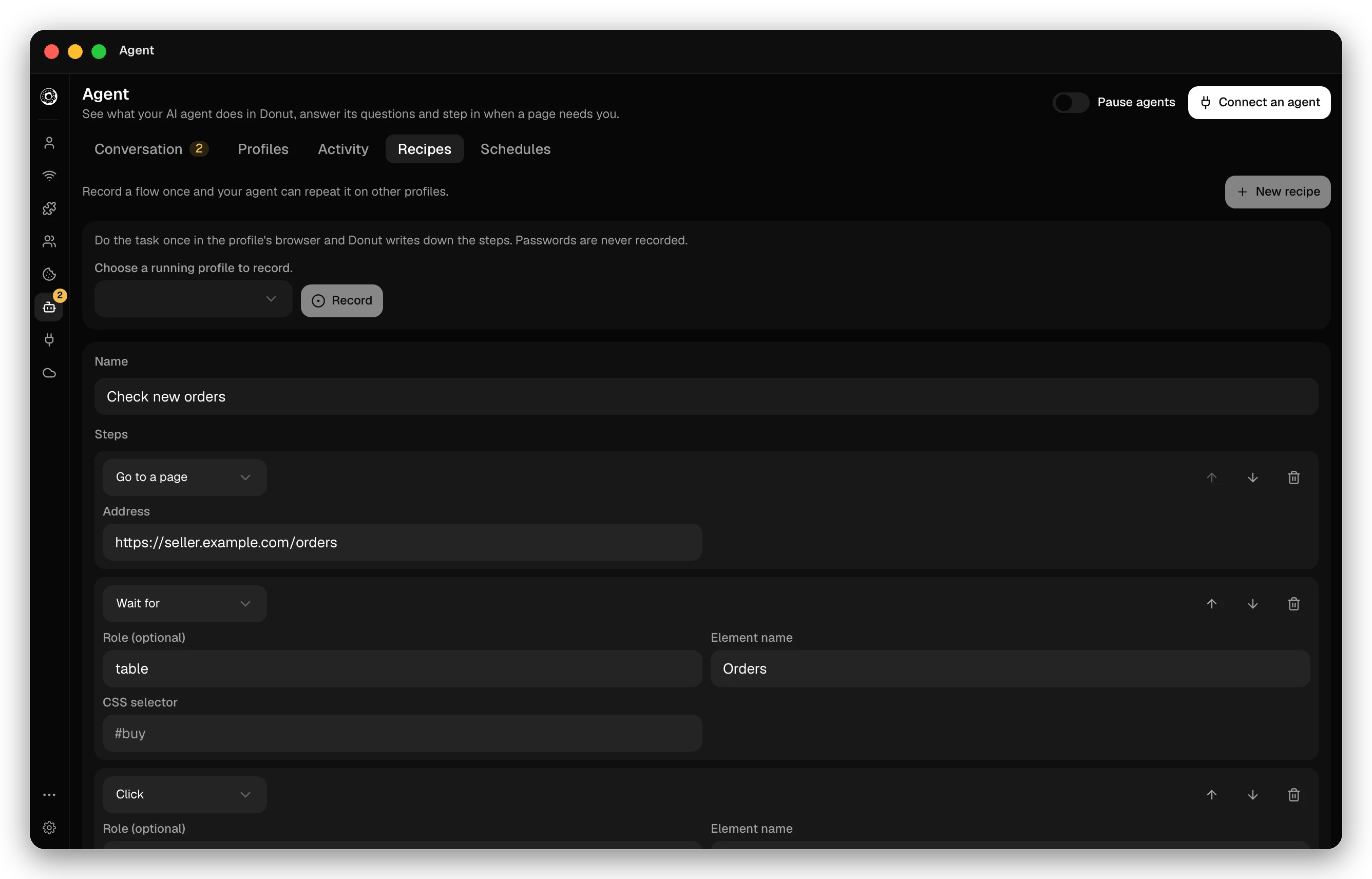
| Recipes | Saved flows an agent can repeat. |
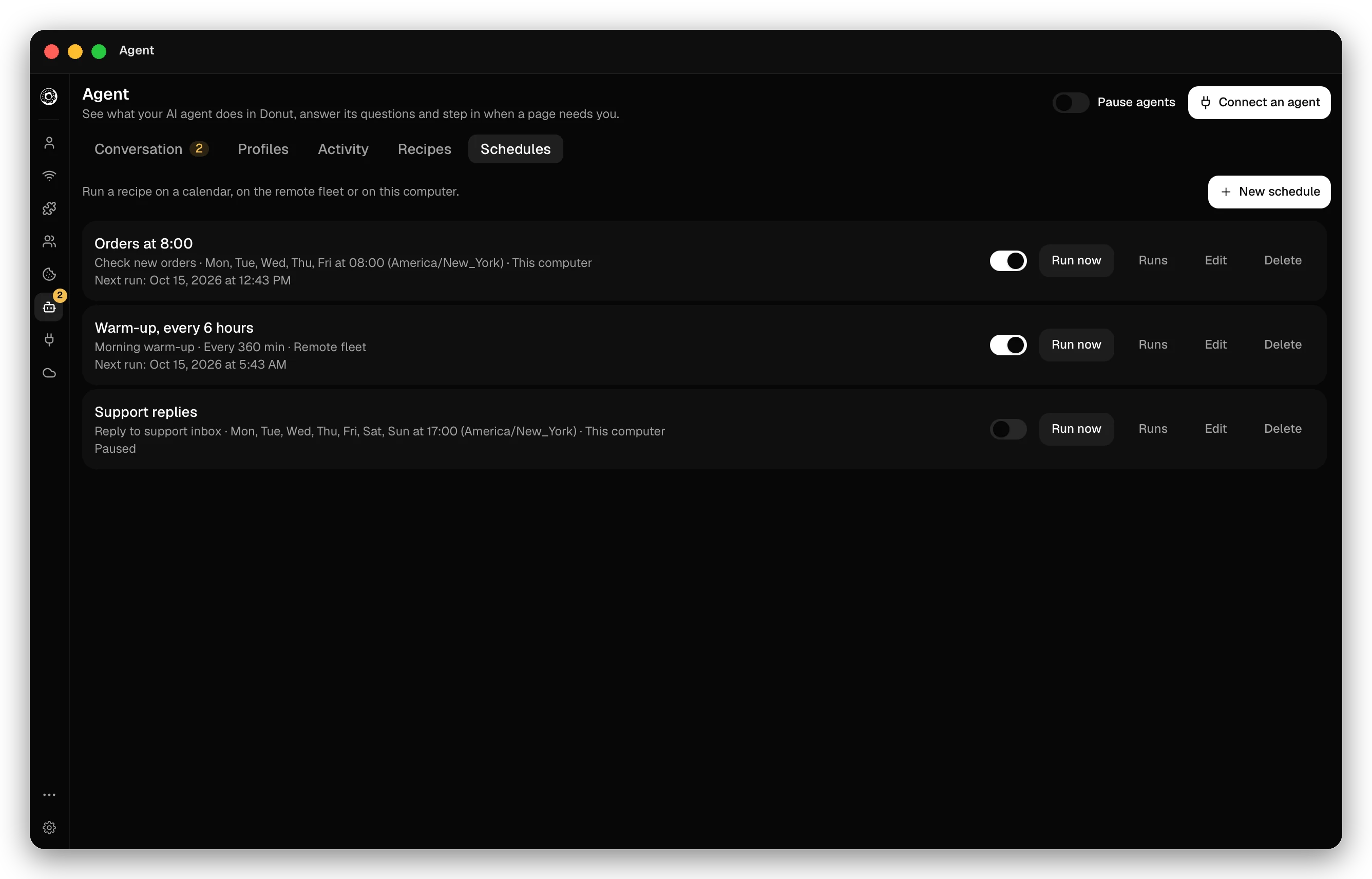
| Schedules | Recipes that run on a calendar. |
The header has the Pause agents switch and Connect an agent.
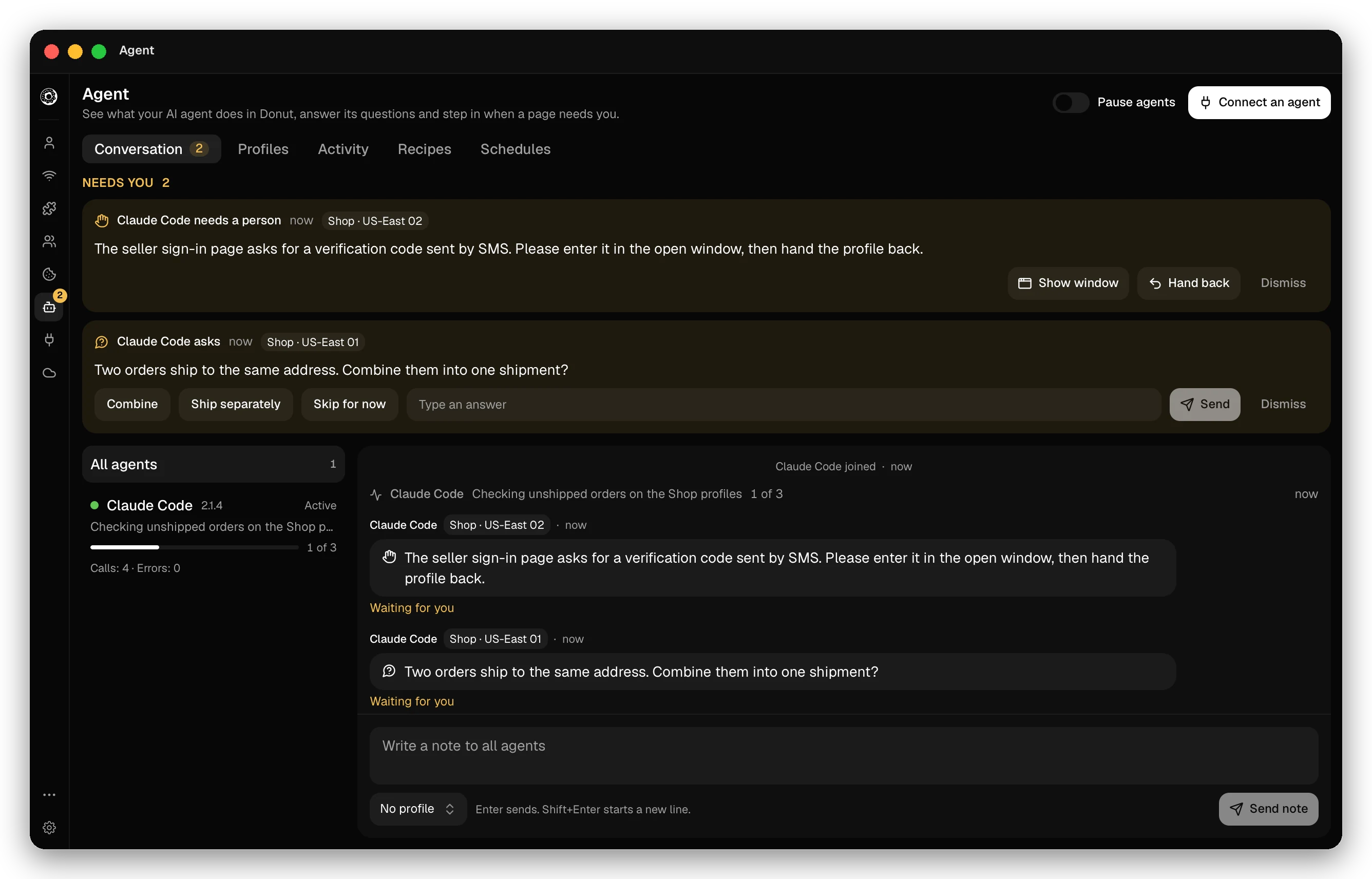
Questions and help requests
An agent uses these MCP tools to keep you in the loop:
ask_humanshows a question. Type the answer in Your answer.request_human_helpasks you to act in a profile, for example to sign in, solve a challenge or pay.wait_for_humanwaits until you answer or hand a profile back.get_human_updatesreads the notes you sent.report_progressposts progress to the conversation.
The app shows a notice when an agent asks something, and the Agent item in the sidebar shows how many requests wait.
Take over and pause
- Take over a profile to work in it yourself. Add a note for the agent, for example “I am fixing this profile, skip it for now”. Until you click Hand back, tools on that profile answer
PROFILE_HELD_BY_HUMAN. - Pause agents stops every agent until you click Resume: their tools answer
AGENT_PAUSED. Add a note to say why. While paused, agents can still read your notes and ask you questions.
Recipes
A recipe is a flow recorded once. An agent or a schedule can repeat it on other profiles without spending model tokens.
- Click New recipe, choose a running profile, click Record and do the task in its browser. Click Stop recording. Passwords are never recorded.
- Or write the steps by hand. Step types: Go to a page, Click, Type, Press a key, Scroll, Wait, Wait for, Extract and Screenshot. A step that acts on an element names it by role and name, or by a CSS selector, never both. A run refuses Press a key and Scroll steps with
REPLAY_STEP_UNSUPPORTED, so leave them out of recipes you run. - Text, addresses and selectors can hold
{{name}}placeholders.run_recipefills them from its variables, so one recipe serves many accounts. - An account holds up to 200 recipes, each with up to 200 steps. Recipes are stored in Donut cloud and sync to all your devices.
Running a recipe on demand needs Pro, Team or Enterprise. Solo can save recipes and run them on a schedule on the remote fleet. On Solo, the recipe tools do not appear over MCP.
Schedules
A schedule runs one recipe on a set of profiles. Schedules are part of Solo, Pro, Team and Enterprise.
- On the Schedules tab, click New schedule. Pick a recipe and the profiles.
- Under Where it runs, pick Remote fleet or This computer. This computer needs Pro, Team or Enterprise, and the app must be open. The fleet spends remote hours and needs profiles that can run remotely.
- Under How often, pick On set days (days and a time), Once (a date and time) or At an interval (every 15 minutes to every 7 days). Times use your time zone.
Donut cloud starts each run on time. Run now starts one at once, the switch pauses a schedule, and Runs lists past runs with their results. Under Notices, a Webhook URL (https) gets a signed message when a schedule fails and when it works again. A schedule that keeps failing sends at most one reminder a day. Send a test notice checks it, and New secret replaces the signing secret.
Checked against the app on .
