
Use the app
Settings, shortcuts and the command palette.
On this page
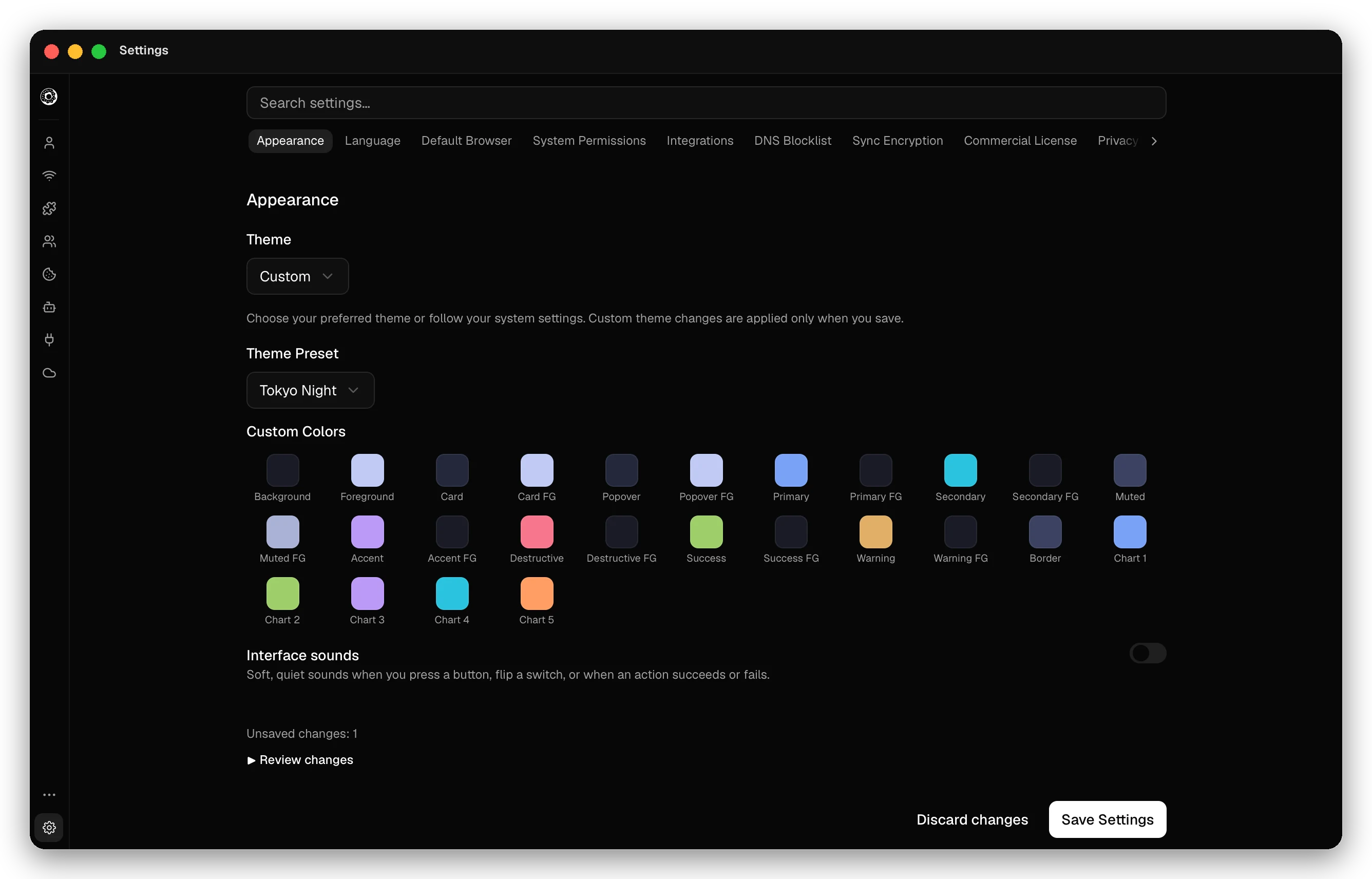
Open Settings in the sidebar, or press Cmd/Ctrl+,. The search box at the top finds a setting by name. Most changes wait for Save Settings; Discard changes drops them. Sections marked “Actions in this section apply immediately” need no save.
Settings
| Section | What it controls |
|---|---|
| Appearance | Theme: Light, Dark, System, a Theme Preset, or Custom Colors. Interface sounds for buttons and switches. |
| Language | The interface language, or System Default. |
| Default Browser | Set as Default Browser: links from other apps open in the profile you pick. Not in the portable Windows build. |
| System Permissions | macOS only. Microphone and camera access for the browsers Donut starts. Each site still asks. |
| Integrations | Open Integrations Settings opens the Integrations page (Cmd/Ctrl+I): the local API and remote MCP. |
| DNS Blocklist | Manage DNS Blocklists: the blocklist levels with their domain counts, Refresh All Lists, and your custom lists. See DNS blocklist. |
| Sync Encryption | The password for end-to-end encrypted sync. See Sync and backup. |
| Commercial License | The time left in the commercial trial, or your plan. |
| Privacy | Block on fingerprint mismatch, Block launches without a proxy or VPN, VPN extension warning, Record visited sites, Clear all traffic history and Keep deleted profiles for (days in the trash, or Delete at once). See Leak protection. |
| Advanced | Disable App Auto Updates (browser updates continue), Keep Decrypted Profiles In RAM, Clear All Version Cache, Copy logs (a redacted bundle of recent logs, up to 5 MB) and Open log folder. |
Redaction removes email addresses, IP addresses, web addresses and secrets, but it cannot find every kind of personal data. Read the logs before you share them.
To keep profiles, browsers and settings in another folder, start the app with the DONUTBROWSER_DATA_DIR environment variable set to that folder.
Keyboard shortcuts
Mod is Cmd on macOS and Ctrl on Windows and Linux. More → Keyboard shortcuts (Mod+/) shows the same list, with a search box.
| Shortcut | Action |
|---|---|
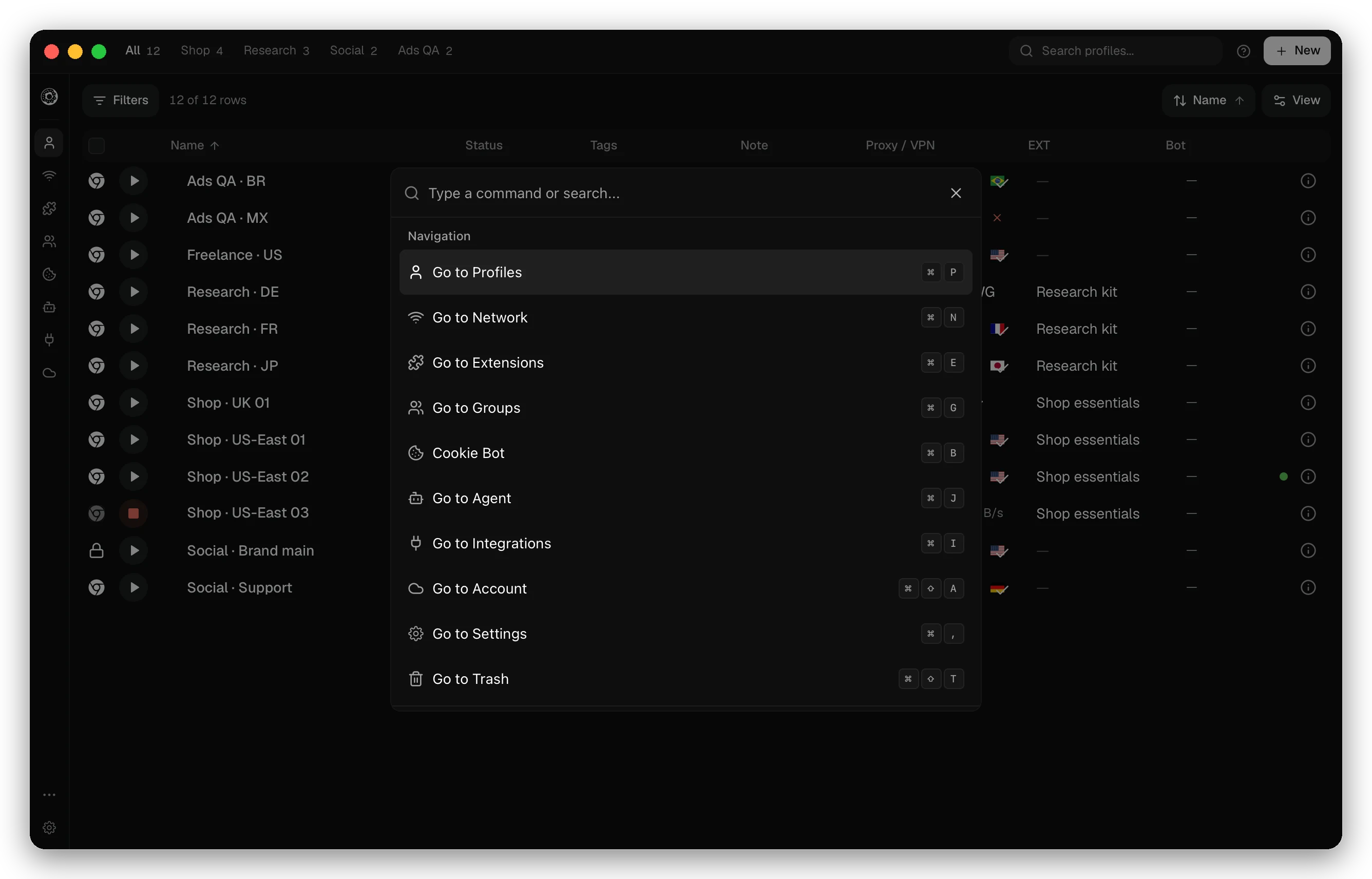
| Mod+K | Open the command palette |
| Mod+/ | View keyboard shortcuts |
| Mod+P | Go to Profiles |
| Mod+N | Go to Network |
| Mod+E | Go to Extensions |
| Mod+G | Go to Groups |
| Mod+B | Go to Cookie Bot |
| Mod+J | Go to Agent |
| Mod+I | Go to Integrations |
| Mod+Shift+A | Go to Account |
| Mod+, | Go to Settings |
| Mod+Shift+T | Go to Trash |
| Mod+O | Import profile |
| Mod+Shift+O | 2FA code from a key |
| Mod+Shift+H | Open tips |
| Mod+Shift+F | Send feedback |
| Mod+1 to Mod+9 | Show one profile group |
Command palette
Press Mod+K and type. The palette goes to any page, launches or stops a profile by name, opens a profile’s details, creates a profile, and switches the profile group.
Tips and feedback
More → Tips has short walkthroughs of features. More → Send feedback sends a message to the Donut team. Tick Include recent logs to attach the redacted logs; Preview logs shows them first.
Updates
The app checks for its own updates and shows a notice when one is ready. Wayfern updates download in the background. To find the version you run, open More → About Donut Browser.
Checked against the app on .
