
Use the app
Synchronizer: one leader, many followers.
On this page
The Synchronizer repeats what you do in one profile, the leader, in other profiles, the followers. Each follower keeps its own fingerprint, cookies and proxy. It needs Pro, Team or Enterprise.
Start a session
- Open the profile panel of a stopped profile, choose Launch hook, and click Launch with Synchronizer. This profile becomes the leader.
- Under Select Follower Profiles, tick one or more stopped profiles.
- Click Start Sync Session. Donut opens the leader, then the followers, 5 at a time.
Wayfern reads your input in the leader inside the engine and sends the same clicks, key presses, text and scrolls to each follower. No script runs on the page.
Control the session
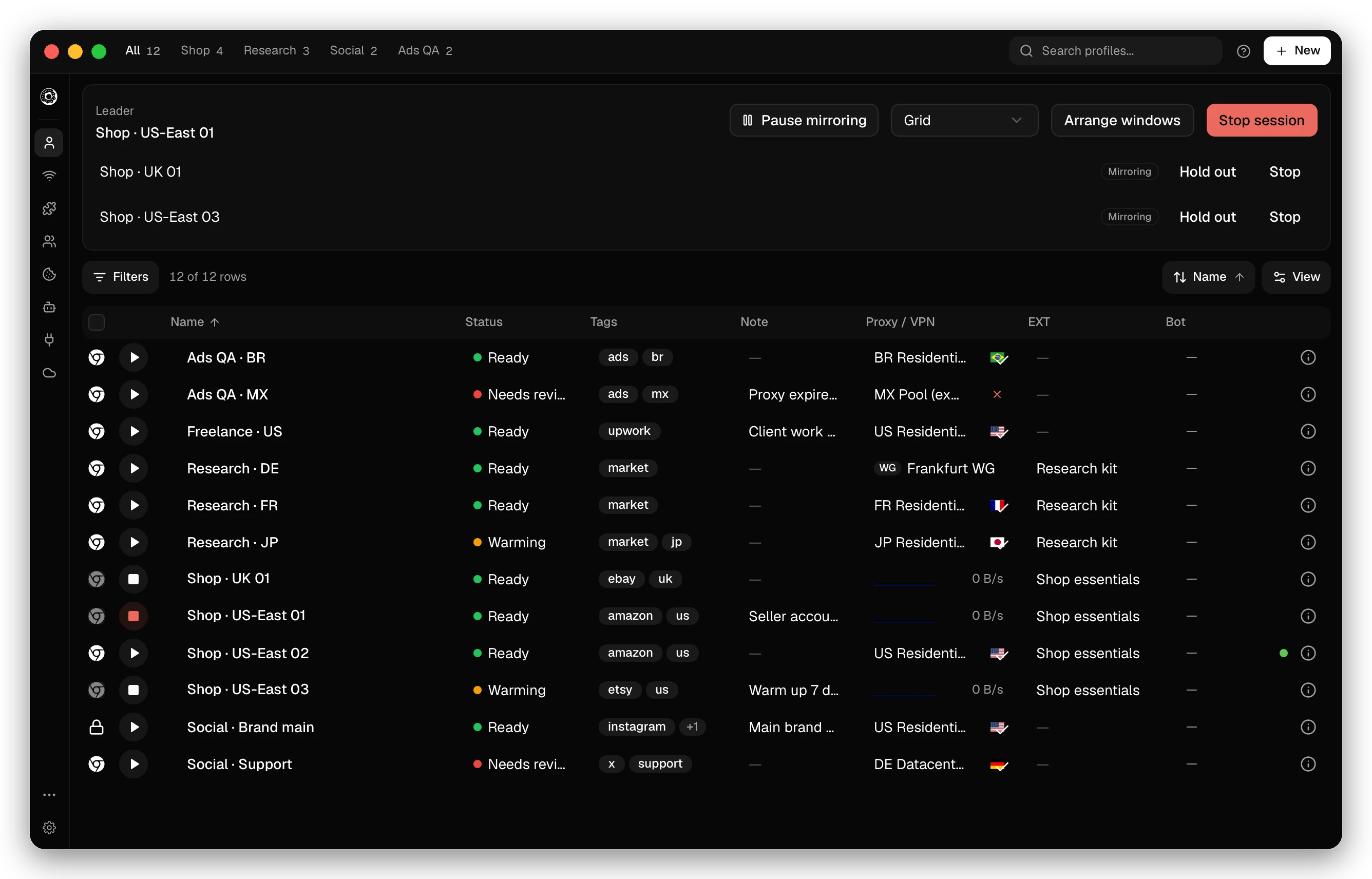
The Synchronizer panel above the profile table shows the leader and the state of each follower: Mirroring, Held out, Paused or Out of sync.
- Pause mirroring stops all followers. What you do in the leader then stays in the leader. Resume mirroring starts them again.
- Hold out takes one follower out of the session. Its window stays open and you can use it by hand. Rejoin brings it back.
- Stop next to a follower removes it from the session.
- Arrange windows places the windows in a Grid, in Columns or in a Cascade.
- Stop session ends it. Stopping the leader stops the followers too.
When followers drift
Clicks go to the same position on the page, so all profiles must show the same layout.
- A follower with a different screen resolution than the leader gets a FLAKY badge. Its clicks can hit the wrong element.
- A follower that fails at a page shows Out of sync with the address where it stopped. Fix it by hand, then rejoin it.
Remote MCP agents can manage sessions too, with the sync toolset. See Remote MCP.
Checked against the app on .
